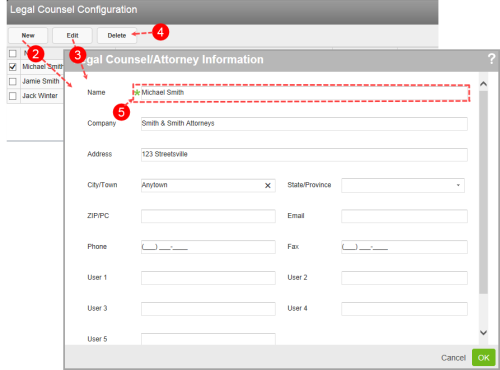
The Legal Counsel Configuration page allows you to create and edit legal counsel records.
The following functions are available on the Legal Counsel Configuration page:
- In the Admin
- New - create a new record. Fill in the required fields and any additional information. Then click OK to save the record.
- Edit - view or edit an existing record (page 1).
- Delete - remove a record permanently (page 1).
- Required Fields – only the Name field is required. It is best, however, to complete as many fields as you can.
Note: The User 1, User 2, User 3, etc. fields are there for legacy support.